 Board Designer
Stock on hand Pro
You list the sticks on your shelf, and a board can plan from them before anything is bought.
Your stock list
In the Stock lane's On hand screen you add sticks by wood and size (the quick buttons add your usual sizes in one click), and change or remove them. The list is shared by every board.
Using it in a board
On a board's shop sheet you turn on Use stock on hand. The board then cuts from your sticks first and buys only what is missing; the sheet says how many come from your stock and how many to buy.
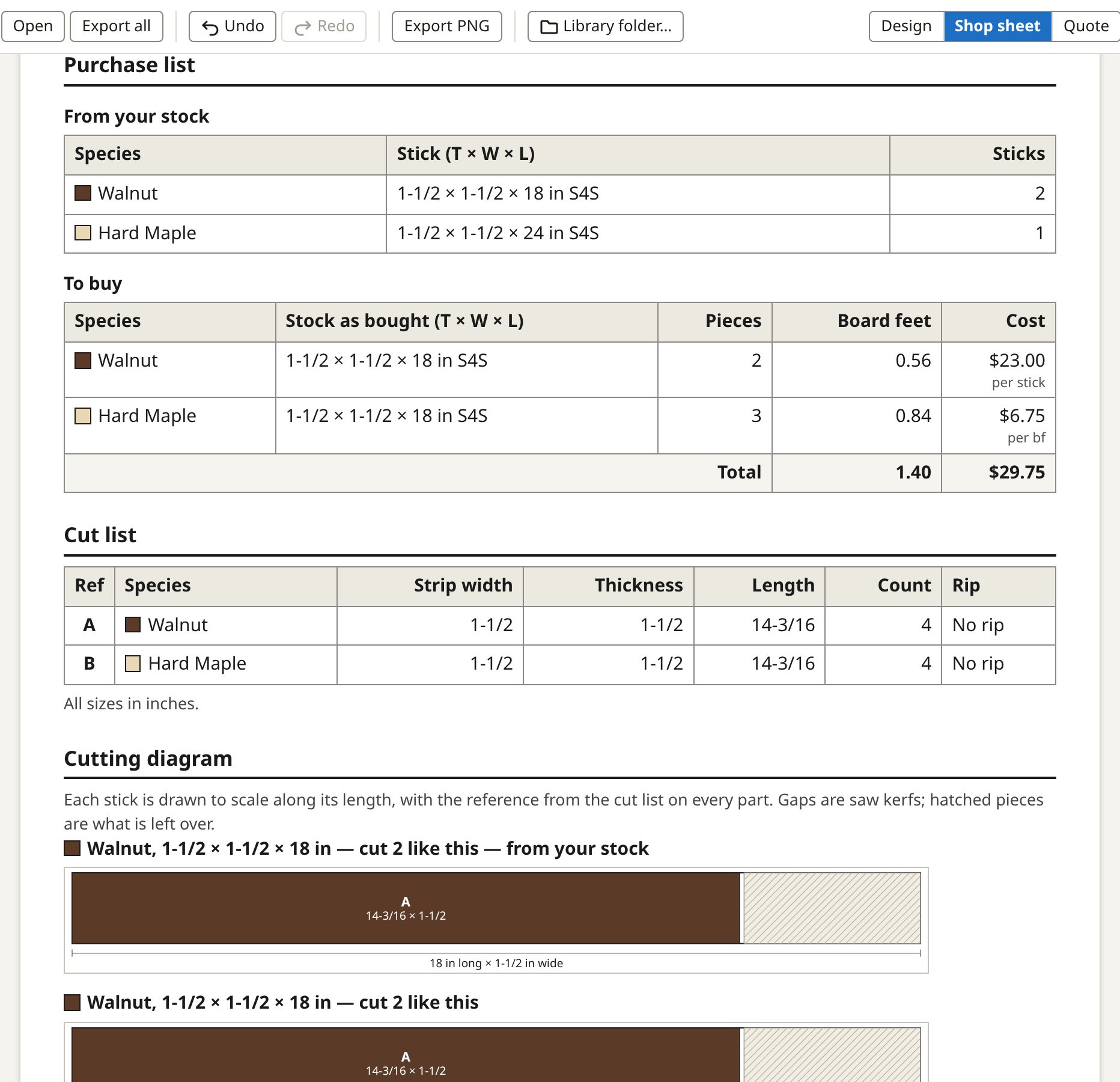
Sticks assigned to a board
The sticks a board takes are assigned to it: no other board counts them. Each line of your stock list shows how many you have, how many are assigned (and to which boards) and how many are available. A board that changes takes more only from what is available, never from another board's. Turning the switch off, finishing the board or deleting it frees its sticks. If two computers assign the same sticks before they sync, the line says it is over-assigned and names the boards; nothing is taken back without you.
Mark as built
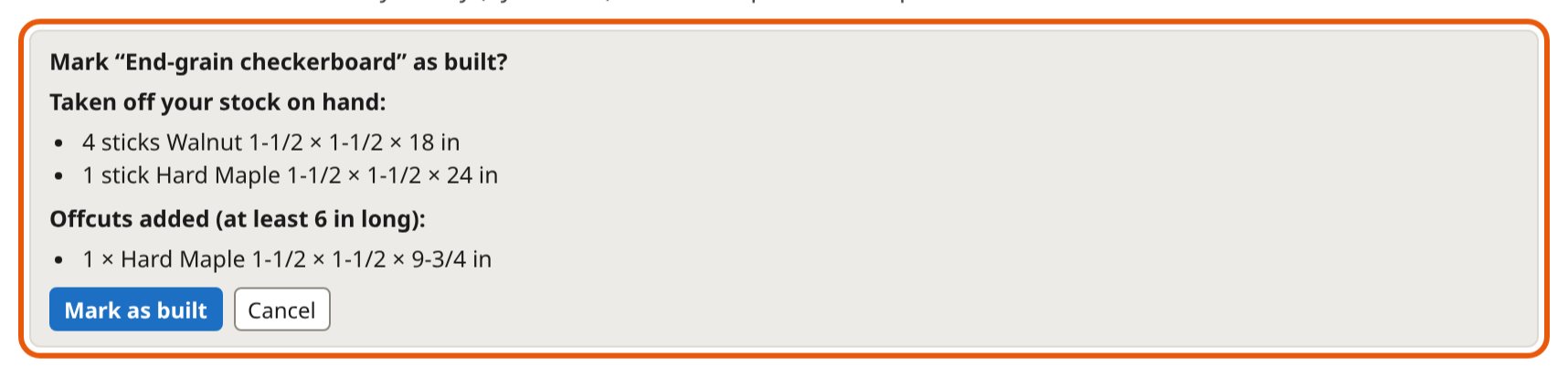
When a board is built, you click Mark as built. Its sticks come off the list, its offcuts long and wide enough to keep go back on, and the board is filed as completed. You can undo it.
Stick prices
You give a stick size its own price, for wood you buy by the stick. Where a size has no price of its own, the wood's price per board foot is used, and the sheet says so.