 Board Designer
Settings
Your shop's own numbers. You open Settings with the gear at the top right; the lumber maths everywhere follows them.
Shop
- Saw kerf: lost on every rip and crosscut.
- Flattening and end-grain flattening allowances: lost when a glue-up is flattened.
- End trim: squared off each stick's ends before cutting.
- Rough milling and edge jointing allowances, for rough lumber.
- Planer width and the shortest piece it takes: a glue-up wider than your planer is planned in parts that fit.
- Rip oversize sticks to size before glue-up, or glue them in whole and plane the extra off.
- Stick sizes: the sections and lengths you buy, which Auto length chooses among, and whether it favours fewer glue-ups or less wood.
- Default units, theme and wood textures.
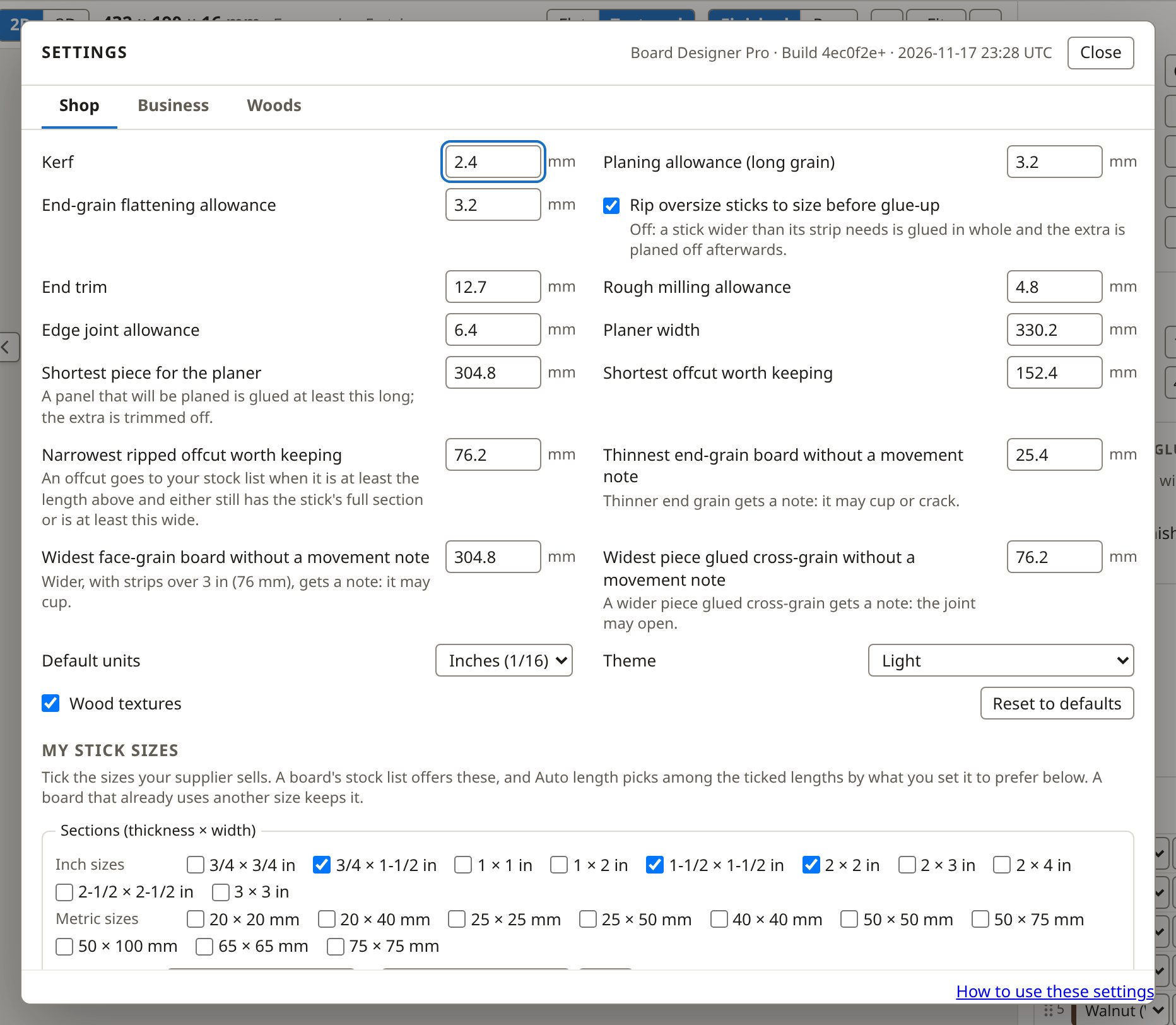
Reset to defaults restores the shop numbers; your theme, textures and the woods shown are kept.
Business Pro
Labour rate, consumables, overhead, margin, rounding and tax for quotes, and how long received stock orders are kept. See Quotes.
Woods
See Woods.