Board Designer

Everything between the idea and the glue-up.

Everything for designing and building a board is free. Pro adds what a woodworker who sells boards needs: stock, orders, quotes and a shared library. Pro is in private beta; there is no price yet.

01 Design

Strips, patterns and sizes

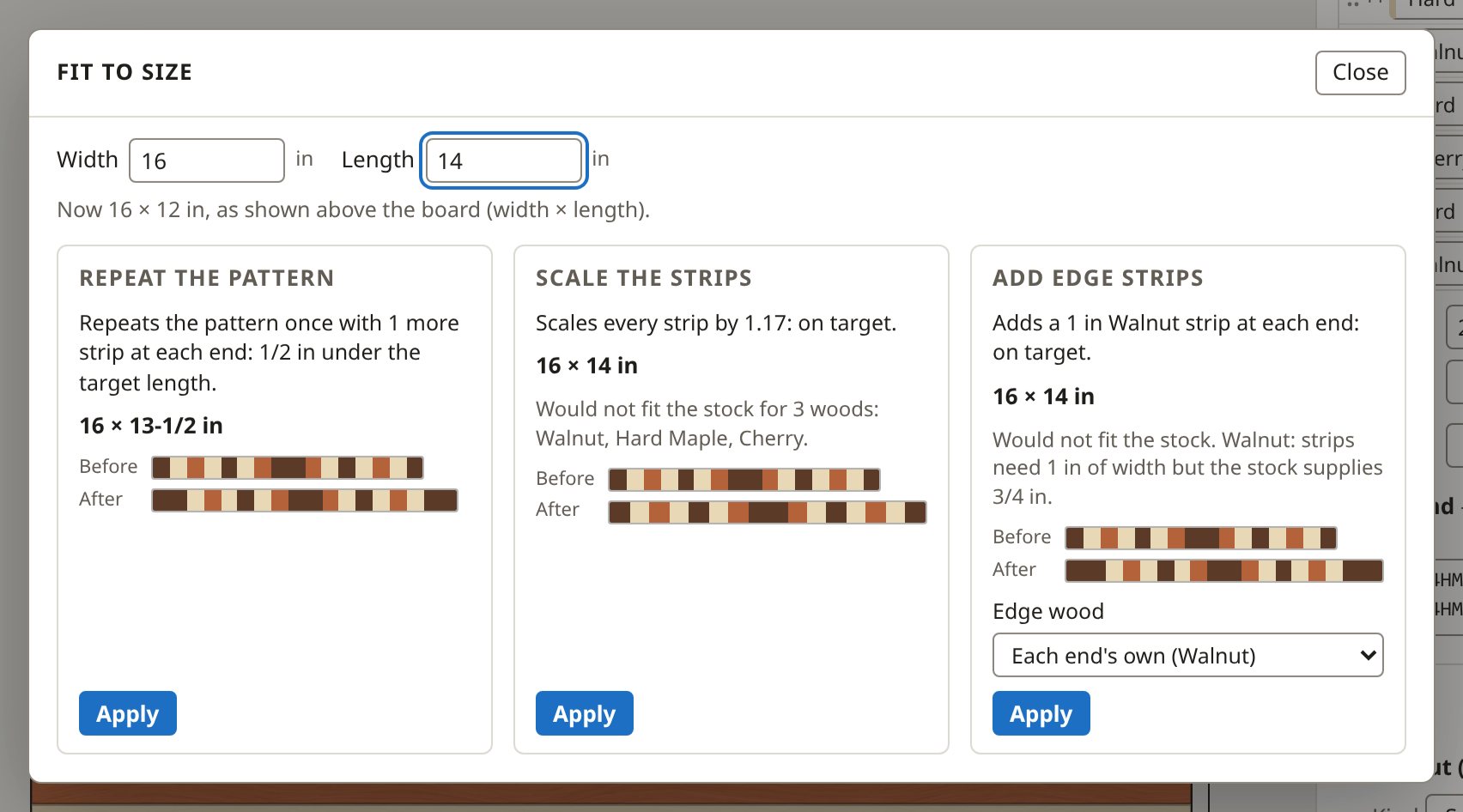
Start from a starter board or your own strips. Pick each strip's wood and width, or type them as shorthand. Fit to size offers ways to reach the width and length you need, and shows each result before you apply it.
Designing a board

Fit to size starts from the width and length you need. It offers ways to reach them and shows each result before you apply it: the strips before and after, and the size you would get.
02 Stock

Bought the way you buy it

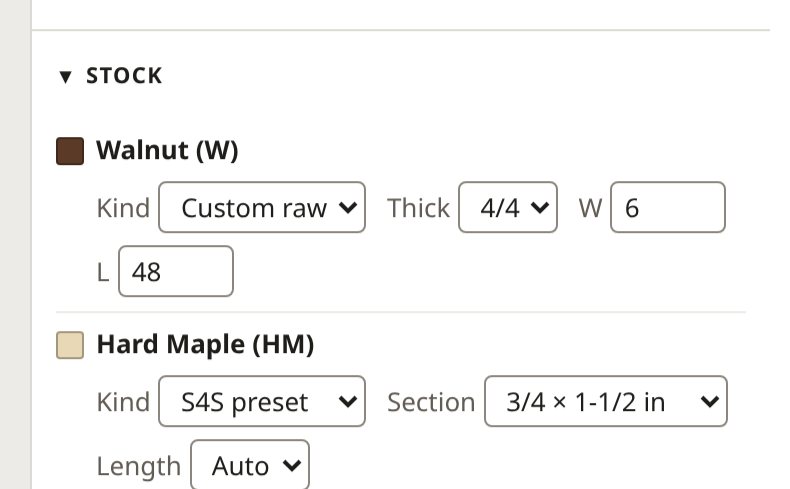
Choose each wood's stock: a standard surfaced stick, your own size, or rough lumber by the quarter. The plan buys whole sticks, marks every rip and adds a milling step for rough lumber.
Stock in the docs

Stock is chosen per wood: an S4S preset, custom S4S, or rough lumber by quarter thickness.
03 Shop sheet

Every cut, drawn to scale

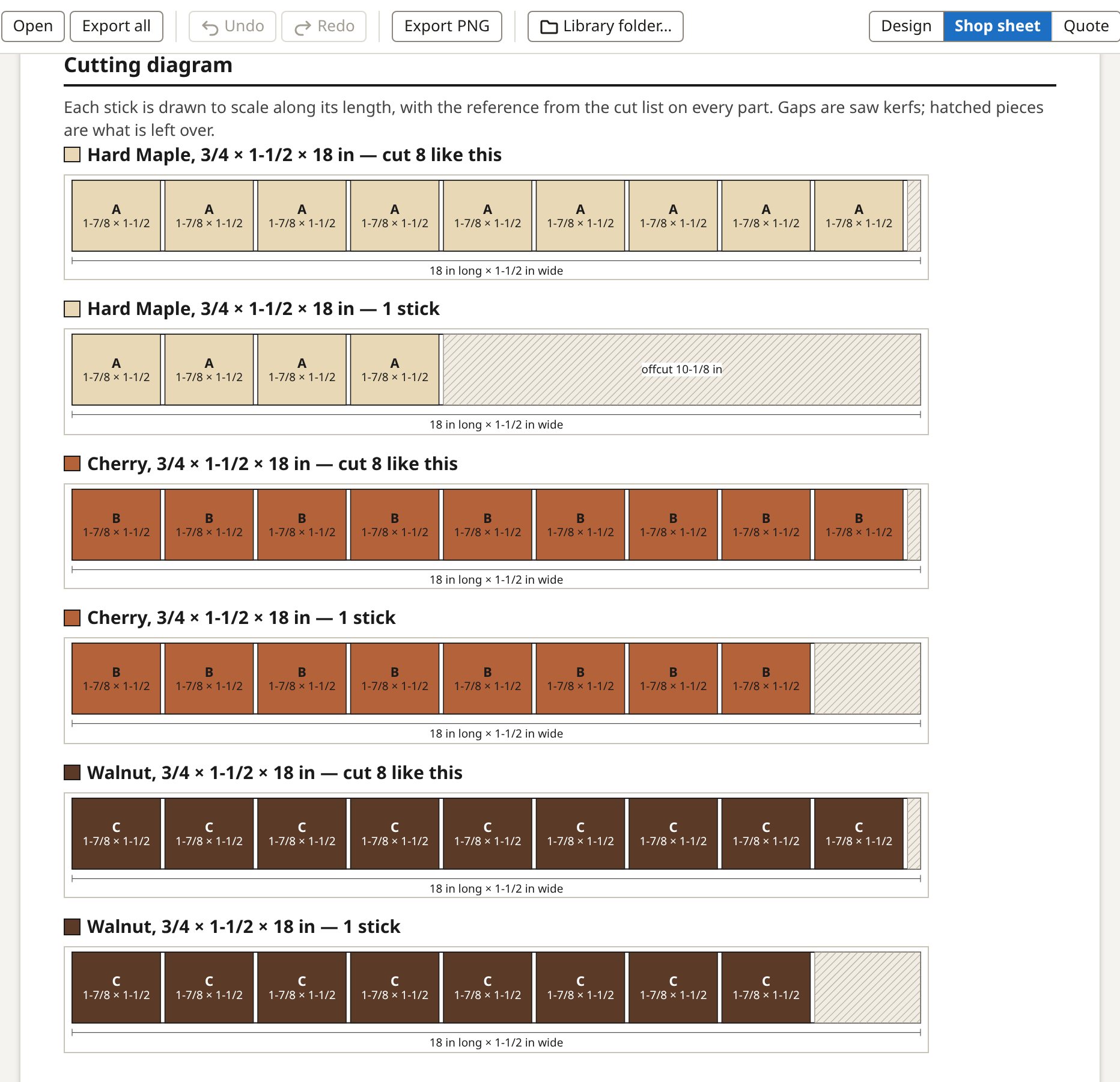
The cutting diagram draws each stick with its parts labelled, the saw kerfs and the leftovers, so you see how the parts share a stick before you cut.
The shop sheet

The cutting diagram draws every stick to scale with each part labelled by its cut-list reference, so you can see how the parts share a stick and where the saw kerfs fall.
04 See it

The board before the wood

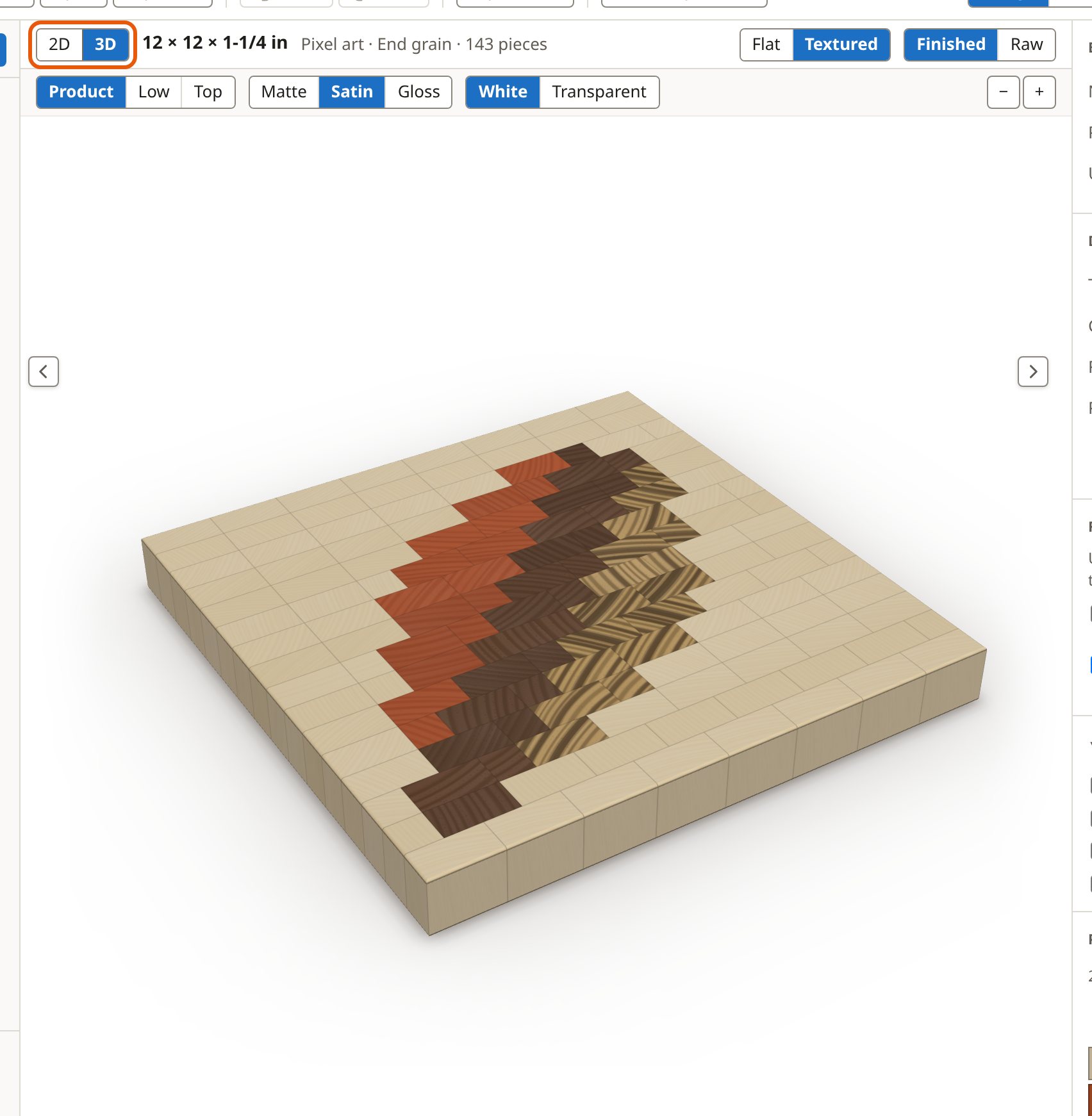
Wood textures drawn for each species, raw or finished, and a 3D view at the angle a customer would see it.
Looking at a board

The 3D button turns the preview into a solid in the wood colours: this is the leaf board as it would sit on a bench.
05 Stock on hand Pro

Use what is on the shelf first

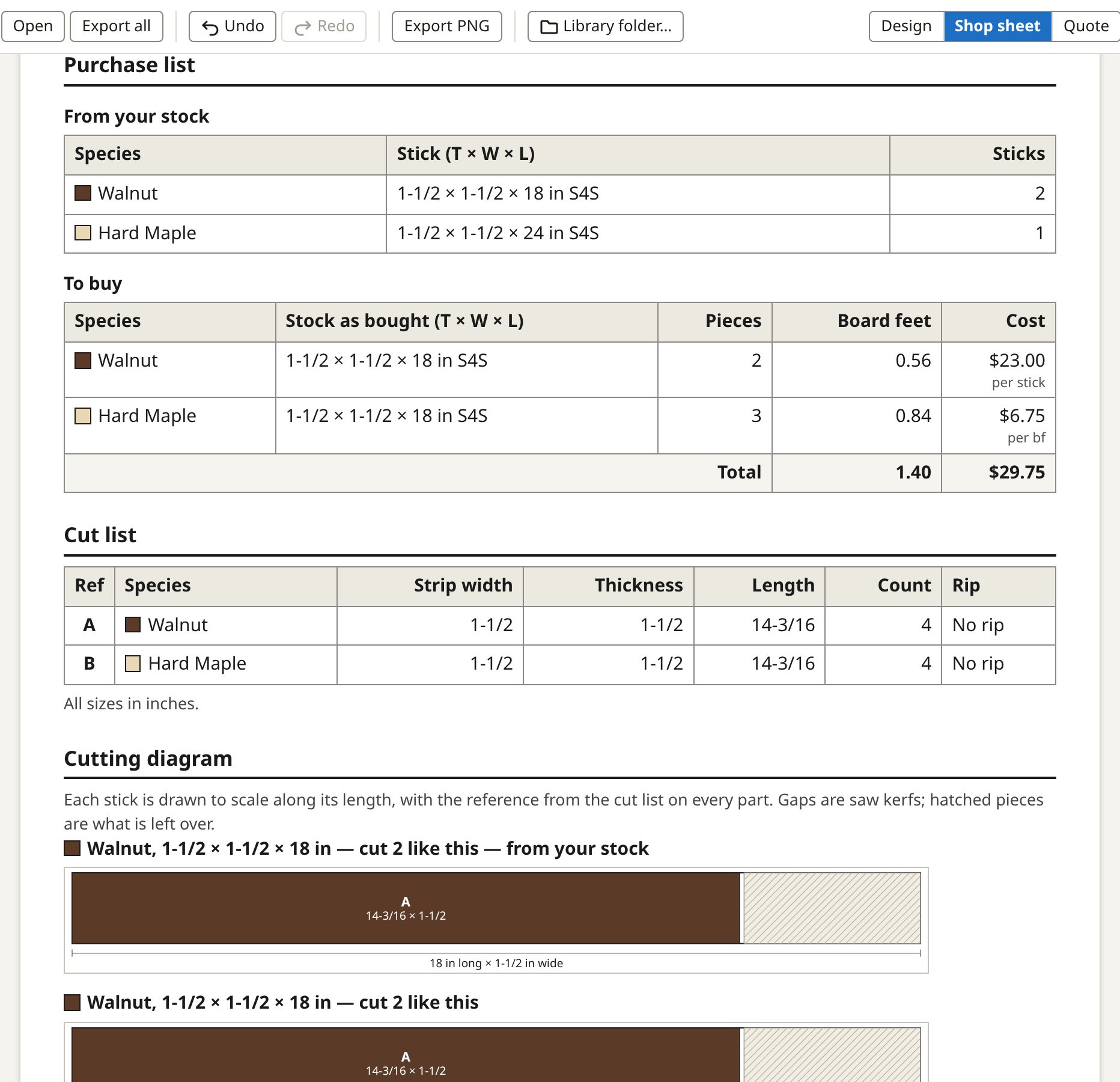
Keep a list of the sticks you have. A board takes what it can from your shelf and buys only the rest; Mark as built takes them off and adds the offcuts worth keeping.
Stock on hand

The sheet then splits the purchase list: "From your stock" is what you already have, "To buy" is what is left to order, and the cost counts only the sticks you buy.
06 Quotes Pro

A price you can stand behind

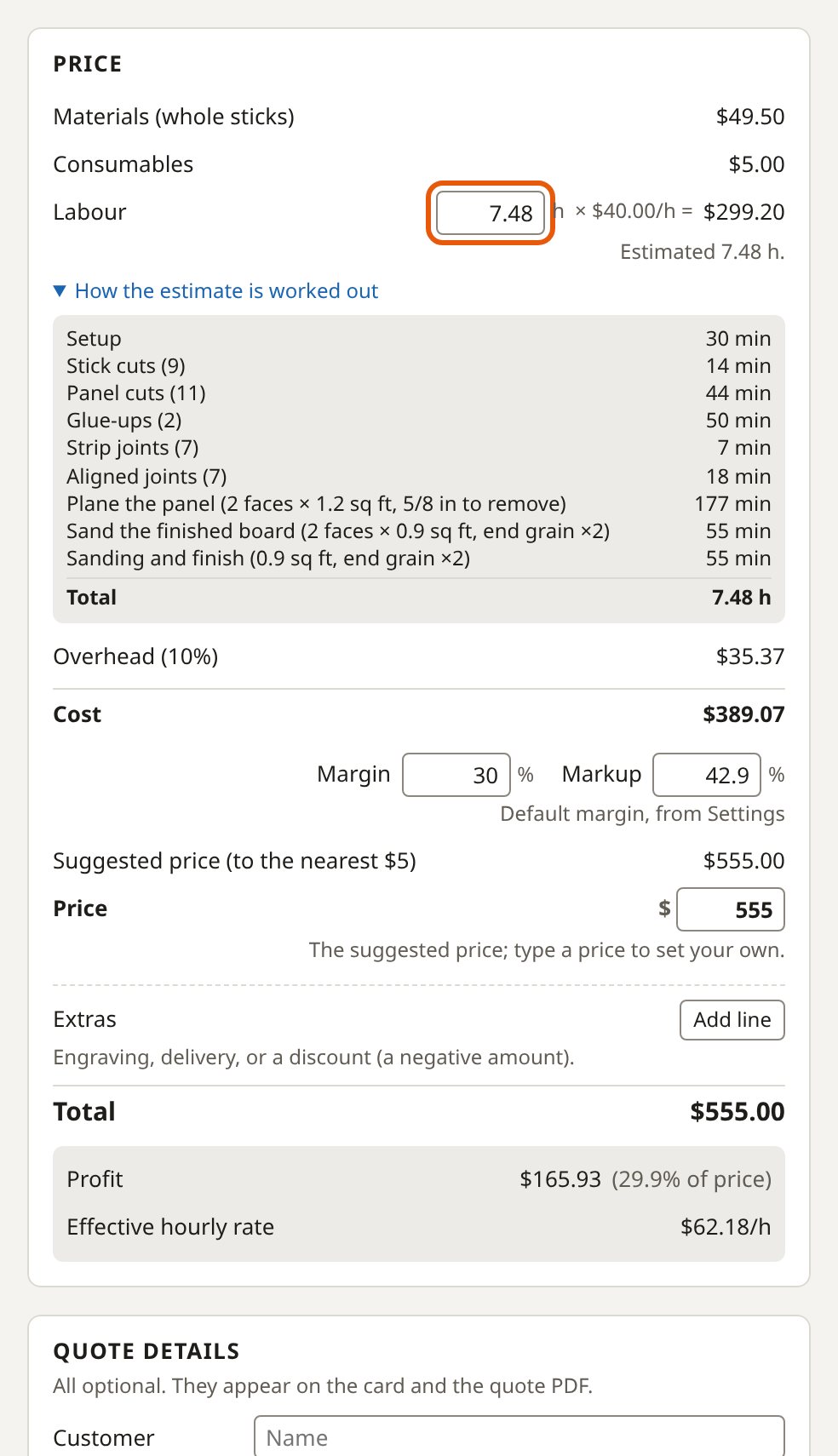
Materials, consumables, labour and overhead worked into a cost, then a price from your margin, and a customer card with the price and none of your costs.
Quotes

The price panel works up materials, consumables, labour and overhead into a cost, then a price from your margin. Labour for this end-grain board is 7.48 h; the list below the hours shows the minutes behind it.

Free and Pro, line by line

FeatureFreePro
Designing
Edge, face and end-grain boards from strips✓✓
Patterns: checkerboard, brick, chevron, herringbone, starburst, lattice and more✓✓
Wood textures, light and dark themes, a 3D view✓✓
Designs kept at onceFree: two, the one you are building and the one you are planning✓✓
Shop sheet
What to buy, the cut list and numbered build steps, to print or save as a PDF✓✓
Wood reactions and shop notes for each wood✓✓
Batch: several boards planned and cut together—✓
Stock
Stock on hand: plan from the sticks you have, assigned to each design—✓
The Stock lane: what you can build, orders, deliveries and reports—✓
Stick prices by size—✓
A stick price borrowed from a wood's price per board foot—✓
Selling
Quotes: materials, labour and margin, a customer card—✓
Compare boards side by side—✓
Business settings: rates, margin, tax and terms—✓
Your library
Save, open and export boards as files✓✓
A library folder shared between computers (Chrome or Edge)—✓
Works offline, installable as an app✓✓

The free app keeps two designs at once: the one you are building and the one you are planning. Save the rest as files and open them when you need them.